Last week a nice trick made the rounds. Dax from Anomaly — building opencode — showed a way to make an AI browser agent fast: drive a real browser exactly once, record every network request into a HAR file, then have the model derive a typed client or a small CLI from that log. After that first run, you never open Chrome again. You call the API directly. He credits James Long for the idea, and the demo built an Uber Eats CLI that sorts spots by rating and fee with a single bun cli.ts search call.
The number people quoted was the eye-catching part: actions that took 30 to 60 seconds through a live browser dropped to roughly 200 milliseconds once the client was derived.
That number is real. It's also solving a specific half of the problem. We build the browser that Rush agents drive, and we spent last quarter on the other half — the case where you can't delete the browser. This is what we found.
The trick, and what it quietly assumes
The HAR trick is a compiler. You pay the cost of a real browser session once — Chrome boots, the page loads, JavaScript runs, XHRs fire — and in exchange you get a static artifact: a list of the actual HTTP calls the page made. From there a model can read the request shapes and emit a typed function for each one. The browser was scaffolding. Once the client exists, the scaffolding comes down.
# One live browser session records this…
GET https://.../feed?lat=37.4&lng=-122.1   → 200  [restaurants[]]

# …and the model derives this, which never opens Chrome again:
bun cli.ts search "fast food" | jq '[.[] | select(.sponsored != true)][0:10]'
When it fits, it's the right answer. Nothing beats not doing the work. But look at what the trick assumes, because the assumptions are where the other half of the problem lives:
- There is a stable API under the page. HAR only captures calls that happened. If the site renders server-side, gates data behind bot checks, signs each request with a short-lived token, or reshapes its endpoints on the next deploy, the derived client rots — a risk the original thread called out directly.
- The task repeats. Deriving a client amortizes over many runs. For a thing you do once, you paid the full browser cost anyway and got a client you'll never call again.
- The data is safe to replay. Cookies, bearer tokens, and CSRF nonces end up in the HAR. Handing that log to a model, or checking a derived client into a repo, leaks credentials unless you scrub it carefully.
None of these are fatal. They're a fence. Inside the fence — repeatable, API-shaped, non-sensitive tasks — the HAR trick wins clean. Outside it is most of the consumer web.
The other half: when the page is the interface
A HAR-derived client makes the tenth run fast. Rush agents mostly do the first run — on a site that was never built to be called by anything but a browser.
Rush agents book, browse, fill, and check things on sites that have no clean API to derive, that change their markup weekly, and that a person is asking the agent to do once, right now. There's no tenth run to amortize against. The browser isn't scaffolding you compile away — it's the runtime, because the rendered page is the only interface the site exposes.
So the question flips. You can't delete the loop. Can you make each turn of it cheap?
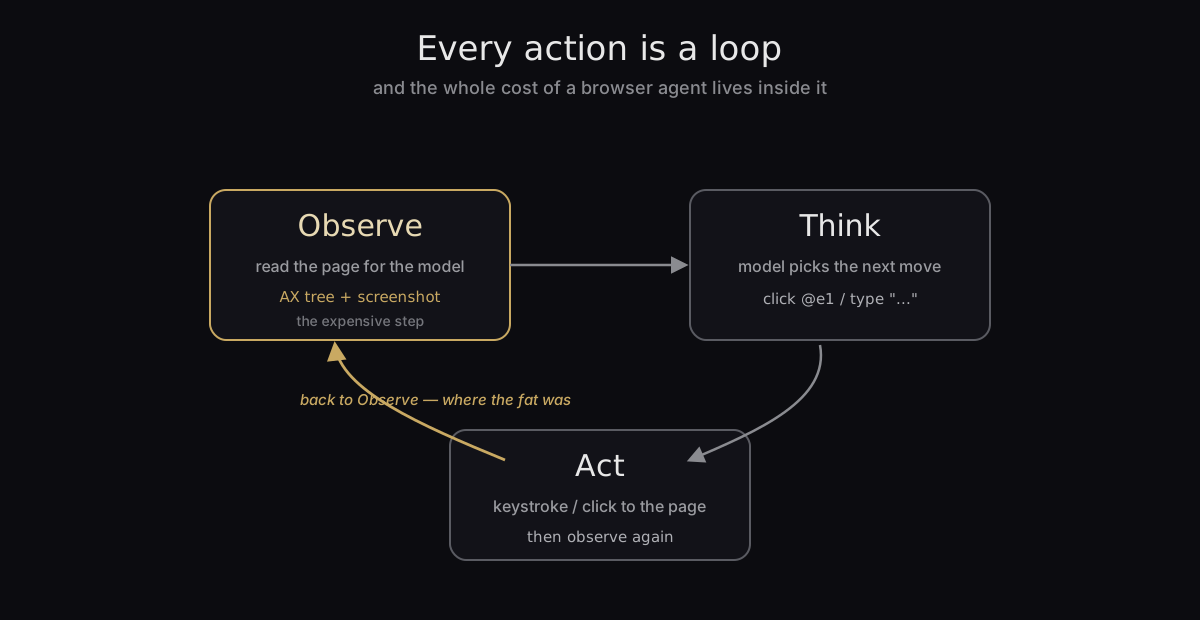
Every step a browser agent takes is a small loop. It observes — reads the page into something the model can reason about. It thinks — the model decides what to click or type. It acts — the click or keystroke goes back to the page. Then it observes again. The "30 to 60 seconds per action" from the thread isn't one slow thing; it's this loop, repeated, with fat on every step. We went looking for the fat.
Anatomy of a slow observe step
Observation was the worst offender, and it has two parts.
First, the structural read: what's on the page and what can I click. The naive approach re-derives this every single turn — walk the full accessibility tree over Chrome DevTools Protocol, collect every interactive node, assign each a stable reference the model can name (@e1, @e2), and inject those references back into the DOM. On a real page that's thousands of nodes. On en.wikipedia.org/wiki/Computer it's 2,288 interactive elements. Doing that walk on a page the agent already looked at, that hasn't changed, is pure waste — but it's exactly what happens when the agent takes three actions on the same screen.
Second, the visual read: a screenshot, because some decisions need pixels the accessibility tree doesn't carry. The naive default is a lossless PNG at the browser's native resolution. That's a 700-kilobyte image on the wire and into the model's vision encoder — every turn.
Neither of those costs is the browser being slow. It's the loop being sloppy.
What we changed
Three changes, each aimed at a specific gram of fat. All of them measured live, driving the real app over CDP against that 2,288-element Wikipedia page.
1. Cache the structural read; invalidate it on navigation. The accessibility ref-map is cached per tab. If the page hasn't navigated or mutated since the last look, the agent reuses the map instead of re-walking the tree. A did-navigate or in-page navigation clears the cache; anything else keeps it warm. The repeat snapshot — the common case, where the agent acts twice on one screen — went from a full tree walk to a cache read.
2. Right-size the screenshot to the model's eyes. We switched the default capture from lossless PNG at 1920px to JPEG at quality 75, resized to a 1568px long edge — the model's native vision resolution. Anything larger just adds time-to-first-token with no accuracy gain: the encoder downsamples it anyway. A { raw: true } opt-out still gives a pixel-faithful PNG when a task genuinely needs one.
3. Trim the words. The snapshot the model reads is a lean formatter that drops empty fields instead of shipping null-filled JSON for every node. Fewer tokens per observation, same information.
Here is what those three did, before and after, on the same page:
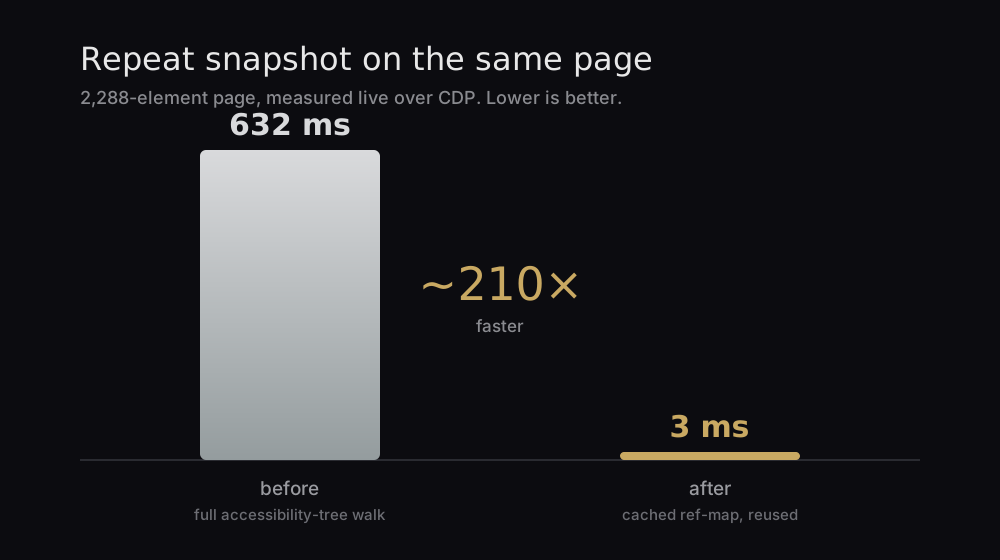
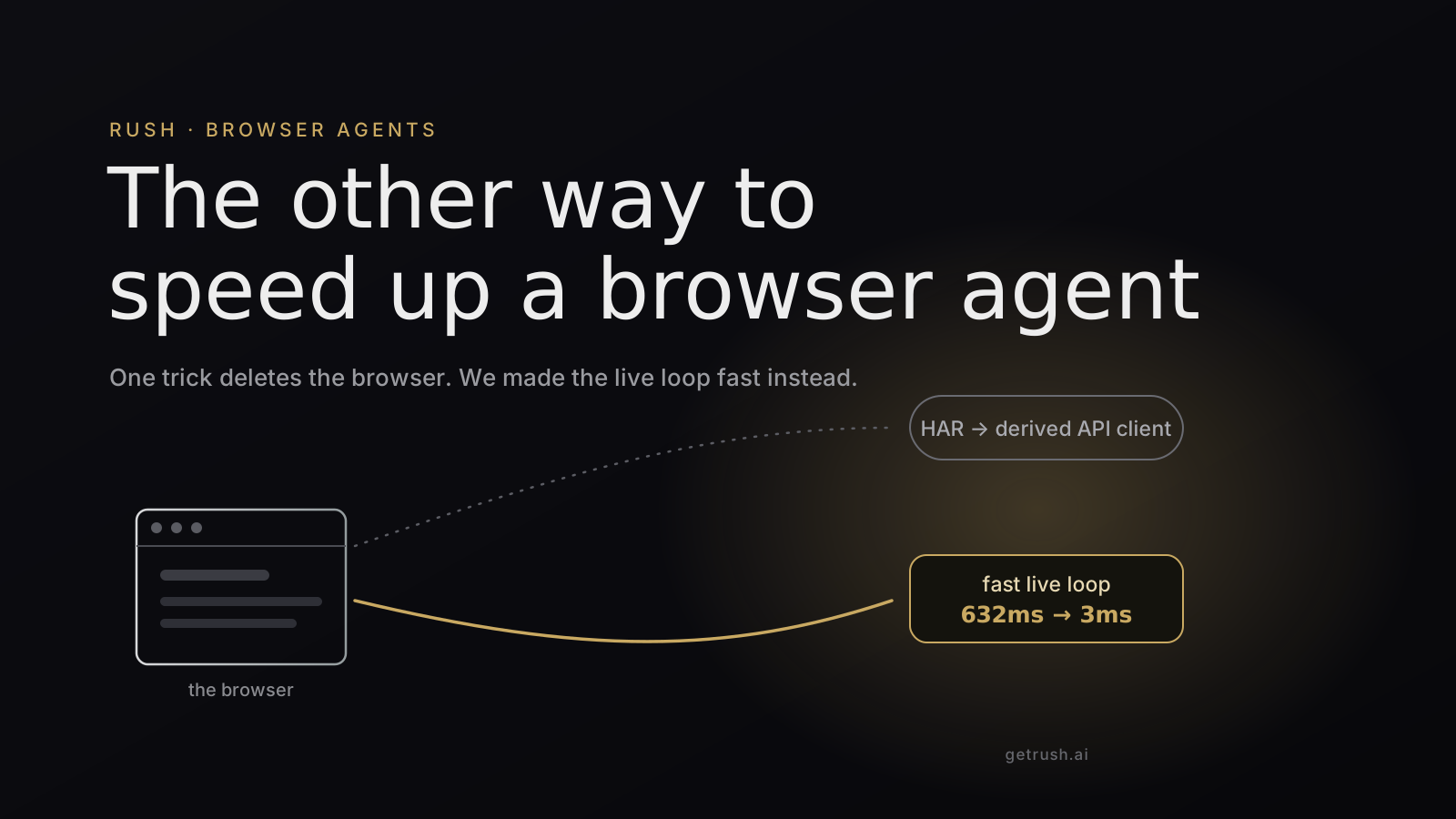
The repeat snapshot dropped from 632ms to 3ms — about 210×. It's the headline because it's the step the agent hits most: every time it acts on a screen it already sees, it used to re-read the whole thing.
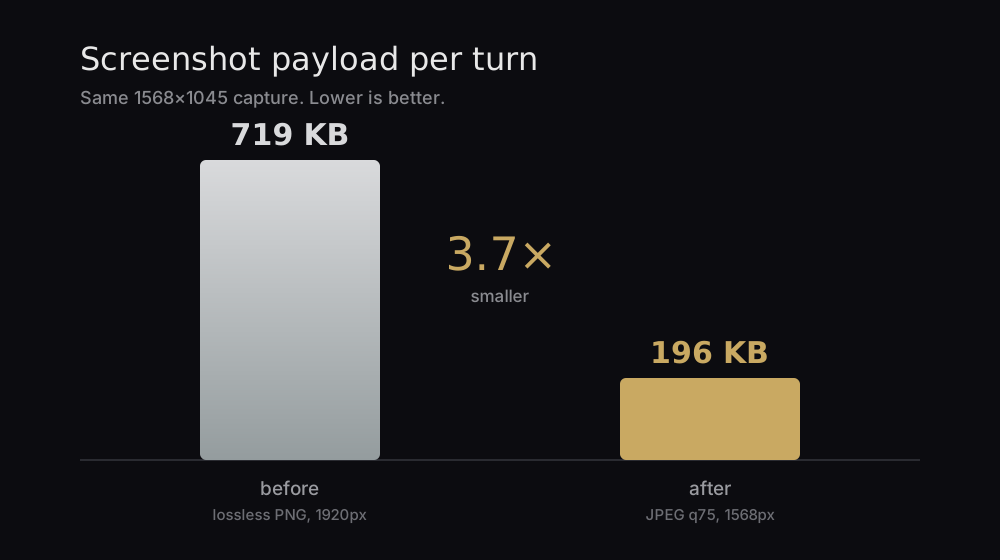
The screenshot went from 719 KB to 196 KB — 3.7× smaller — for the same 1568×1045 capture, fully legible at the resolution the model actually works in. Smaller payloads mean less upload and a shorter time-to-first-token on every visual turn.
One design choice underneath all three is worth naming: Rush targets elements by their accessibility role and a stable reference, not by pixel coordinates or a vision model guessing where a button is. @e1 is a link whether or not the page scrolled, re-flowed, or re-themed. That's what makes the cache safe to keep — the references survive everything except an actual navigation.
Two speedups, one honest comparison
These are not competitors. They attack different costs, and a serious browser agent wants both.
The HAR trick removes round-trips — it's a loop-elimination strategy, and when a task is repeatable and API-shaped, eliminating the loop beats any amount of shrinking it. What it can't do is the first run on a site that fights you, or the long tail of tasks a person asks for exactly once. That's the live loop's job, and the live loop was carrying kilograms of avoidable weight: re-reading pages it had already read, shipping images four times bigger than the model could use.
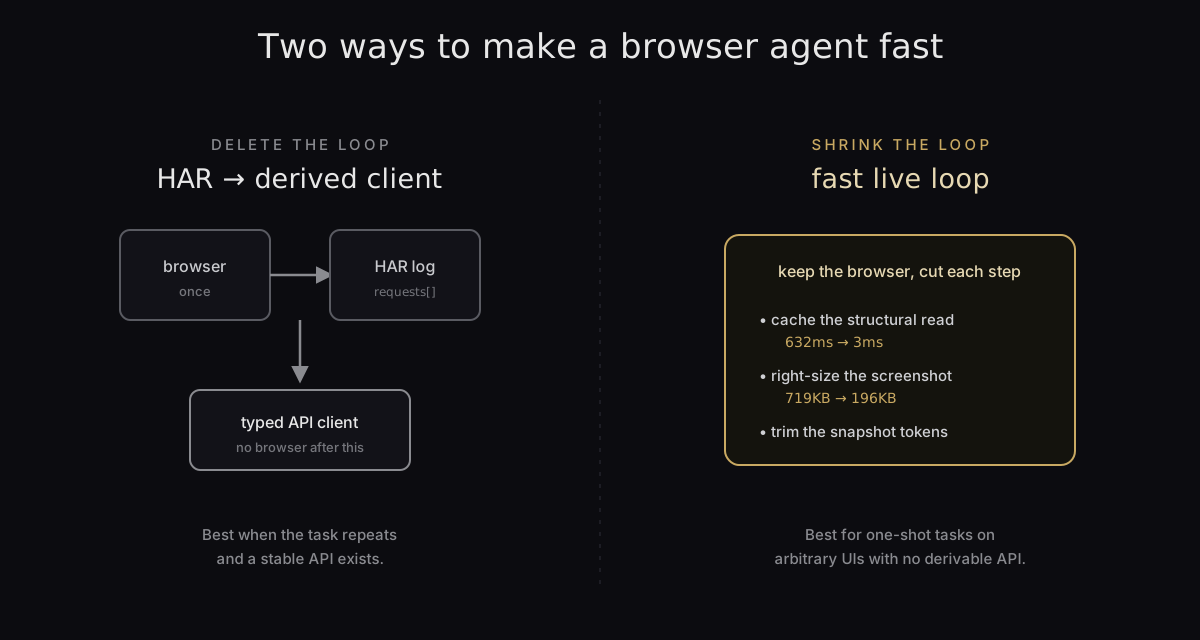
The lesson we took from last week's thread wasn't "derive a client." It was the framing behind it: the browser is not the point, the task is. Sometimes the fastest way to finish the task is to compile the browser away. Sometimes you can't, and then the fastest way is to stop making the browser do the same work twice. We shipped the second one because that's the half our users actually live in — and a repeat snapshot that used to cost 632 milliseconds now costs 3.
Rush is the agent OS where those agents run. The browser they drive is built in, and now it's a good deal quicker.