Rush 0.1.0 alpha 44 — Cloud Runs grow up
Send any agent off to work in the cloud and watch it live. Schedule agents to run on their own. Bring your own MCP connectors. And Rush is now on Linux.
- Send any agent to the cloud with ⌘+Enter — no repo required
- Watch cloud runs stream live and pull their artifacts back into Rush
- Schedule agents to run unattended, on a recurring cadence
- Bring any MCP server as a connector — OAuth, reusable across agents
- First-class Linux desktop build (.deb and .rpm)
Send an agent to the cloud
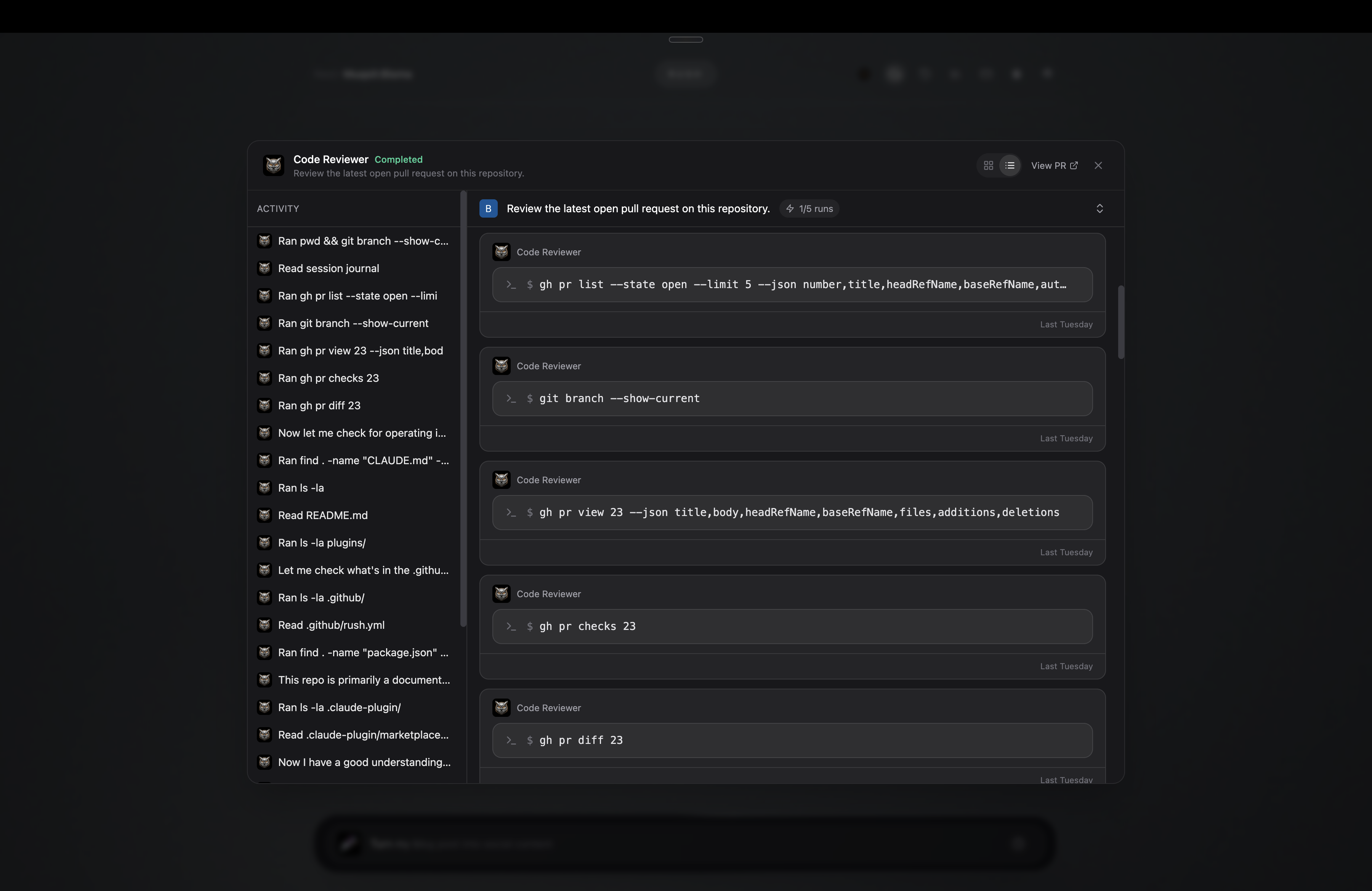
This is the headliner. Press ⌘+Enter on any installed agent and it runs in the cloud — no GitHub repo required. The run streams live in a detail view, so you can follow it think and act in real time rather than waiting on a result with no visibility into how it got there. The artifacts it produces render inline, with the same share toolbar you already use on local sessions, and you can cancel a run mid-flight.
Connect GitHub from the Accounts tab and Rush lists your repos, so cloud agents can open pull requests and manage work directly on GitHub.
The same live view for every run
Whether an agent runs on your machine or in the cloud, it opens the same detail view: the activity timeline on the left, every tool call and message on the right as it happens. You see exactly what the agent did — the pages it read, the commands it ran, the files it touched — instead of a summary after the fact.
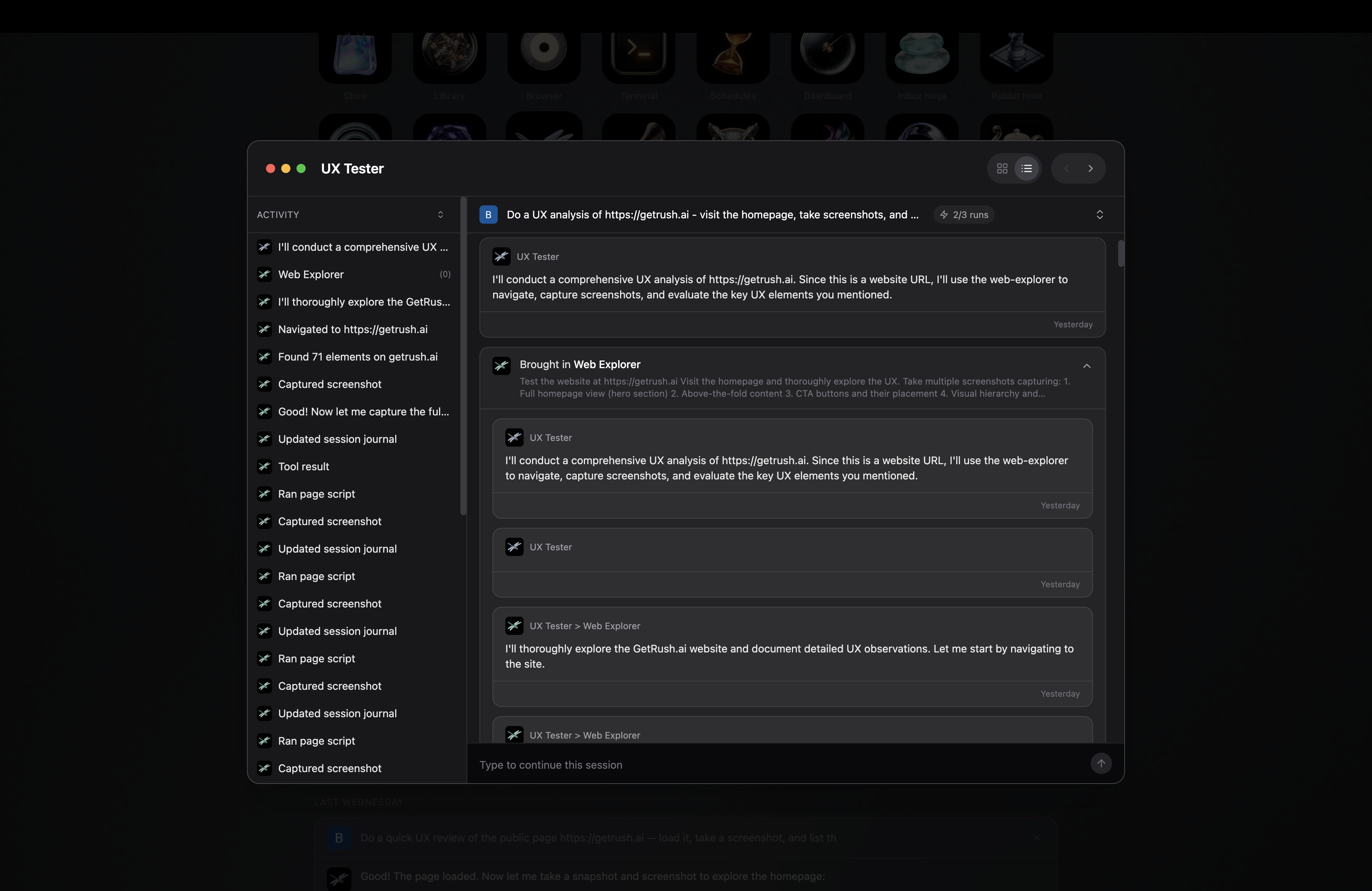
Every run opens the same live detail view — the activity timeline on the left, each step on the right as it happens.
Agents that run on their own
Schedule any agent to run on a recurring cadence and then forget about it. Runs fire unattended — permissions are accepted automatically, so nothing stalls waiting on a click — and anything that was due while Rush was closed is caught up the next time you open the app. Set it once; the results are waiting for you.
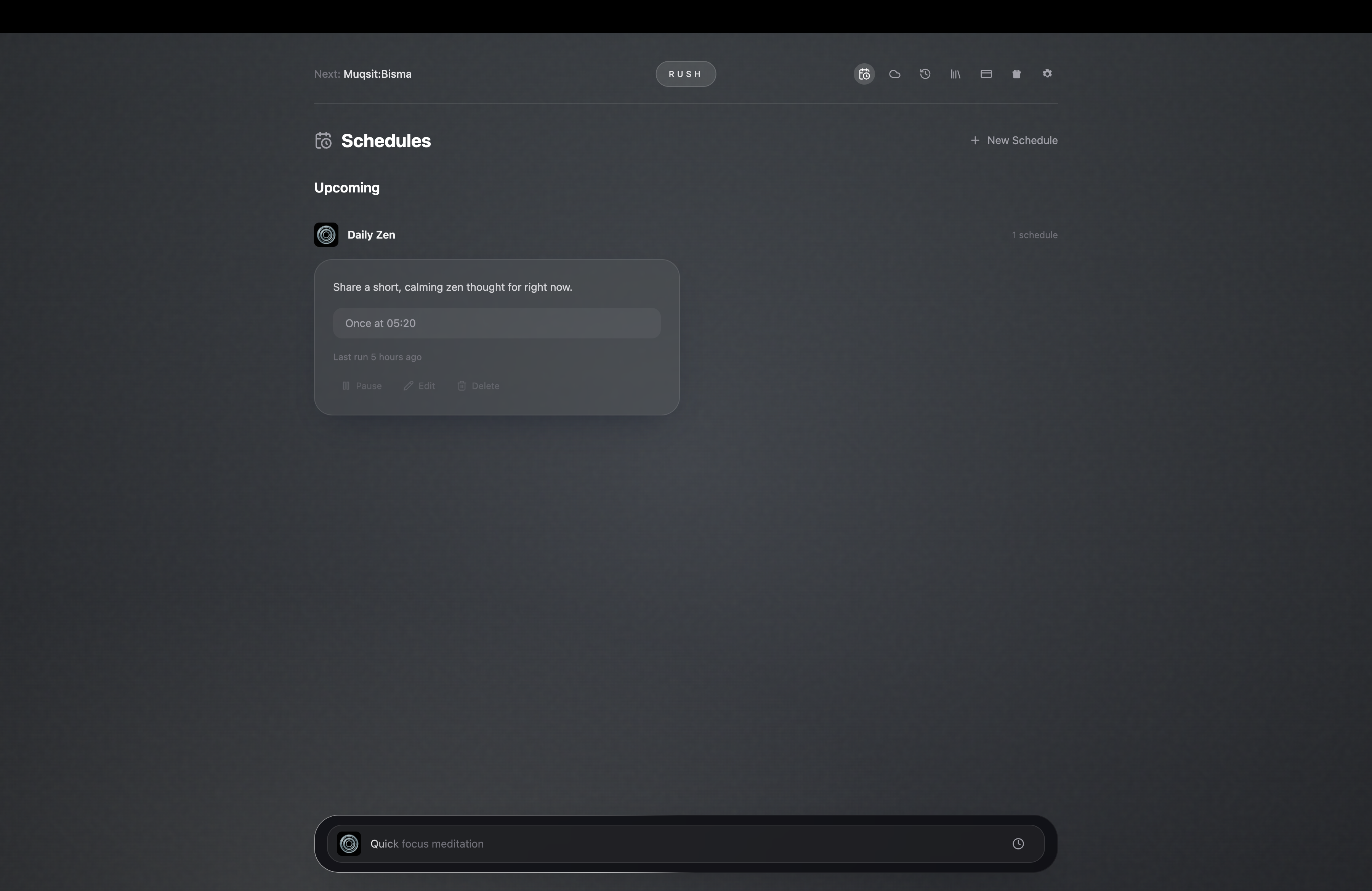
A scheduled agent, set to run on its own — Rush fires it on time and leaves the result waiting.
Bring your own MCP connectors
Any MCP server can be a Rush connector. Paste a custom URL, pick the transport — remote, SSE, or Streamable HTTP — flag it as OAuth if it needs it, and Rush connects it. Alongside your own servers, the Store carries ready-to-connect connectors for Notion, Slack, Microsoft, Box, Dropbox, Lark, Canva, Linear and more, each with its real logo. And Rush tells you up front when an agent needs an account you haven't connected yet — then remembers when you dismiss a prompt so it stops re-asking.
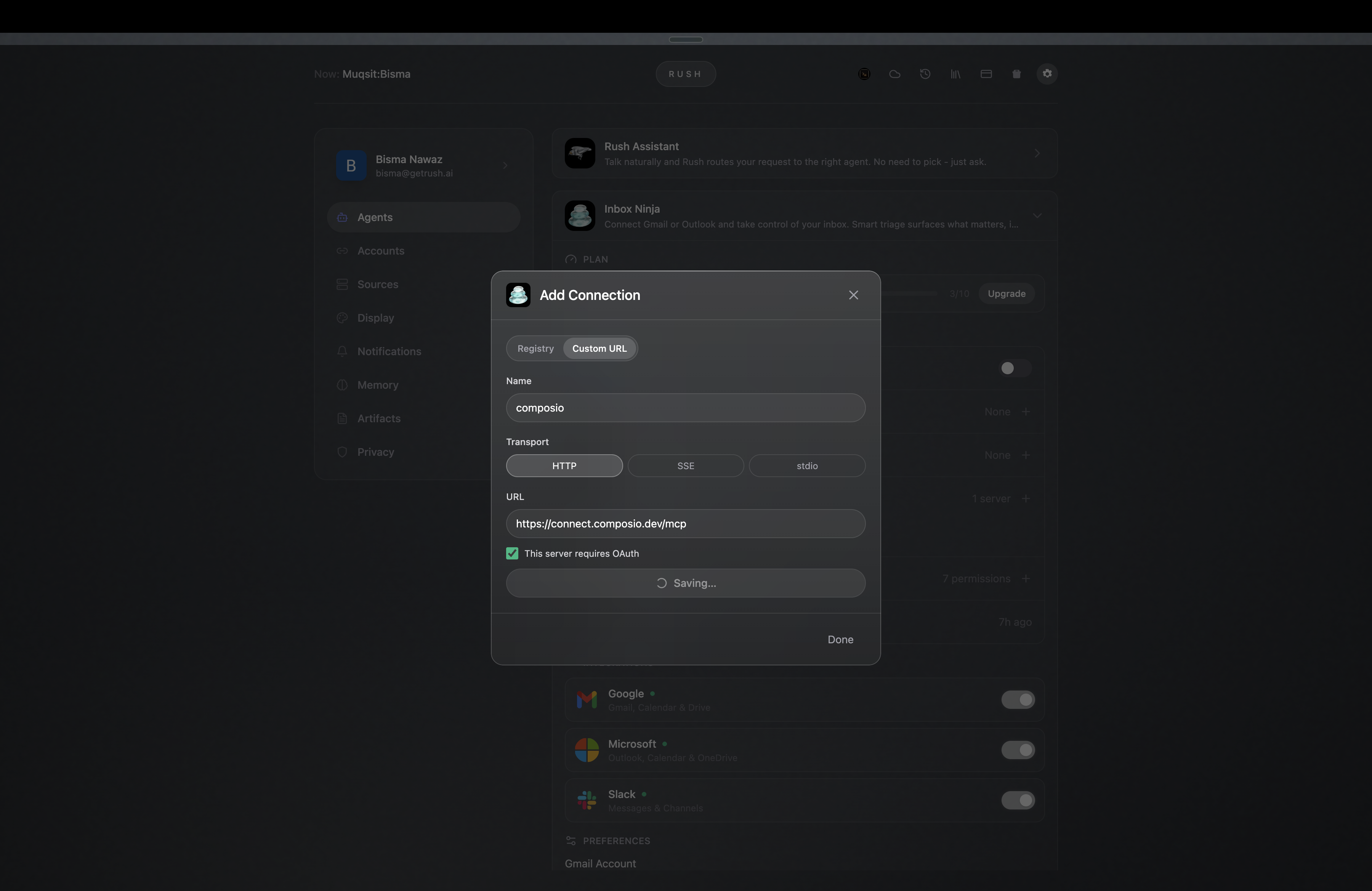
Add any MCP server by URL — name it, pick a transport, flag OAuth, and Rush connects it.
Connect once, reuse everywhere
A saved connection is reusable. Instead of re-entering credentials every time, your connectors populate the Add-Connection sheet and the agent-creation wizard, and you choose per agent which ones it can use. Connector logos resolve correctly in packaged builds, so the Store looks right the moment you open it.
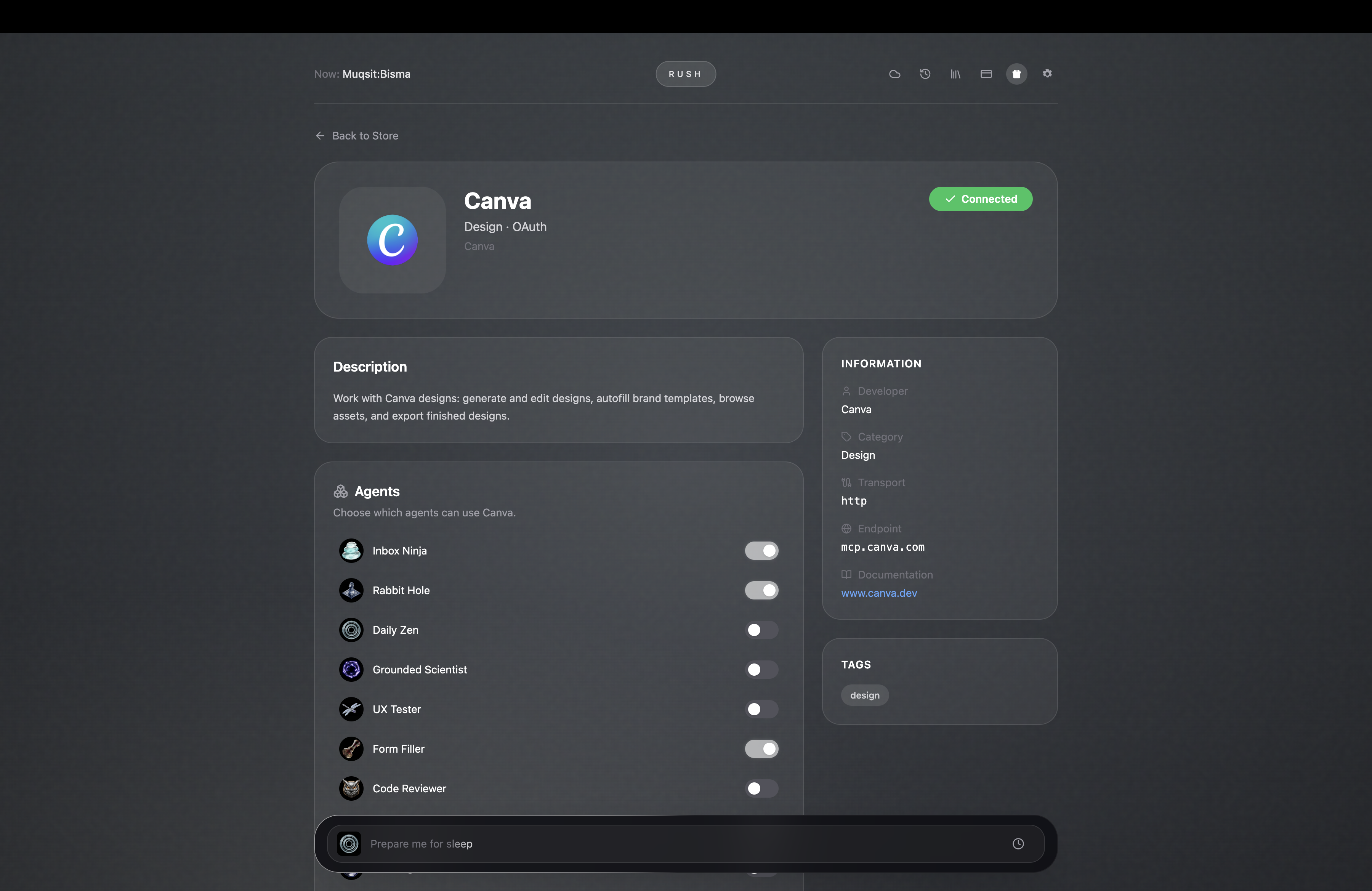
A connector's detail — connected over OAuth, with a per-agent toggle for who can use it.
A terminal, with Claude in it
Rush ships a real terminal — a full shell, with AI-driven tab titles. Open it, run whatever you'd run in any terminal, and if you drop into a coding agent like Claude Code, it works right there inside Rush. Ask it to check your pricing page and it fetches the site and hands back a clean table, without ever leaving the app.
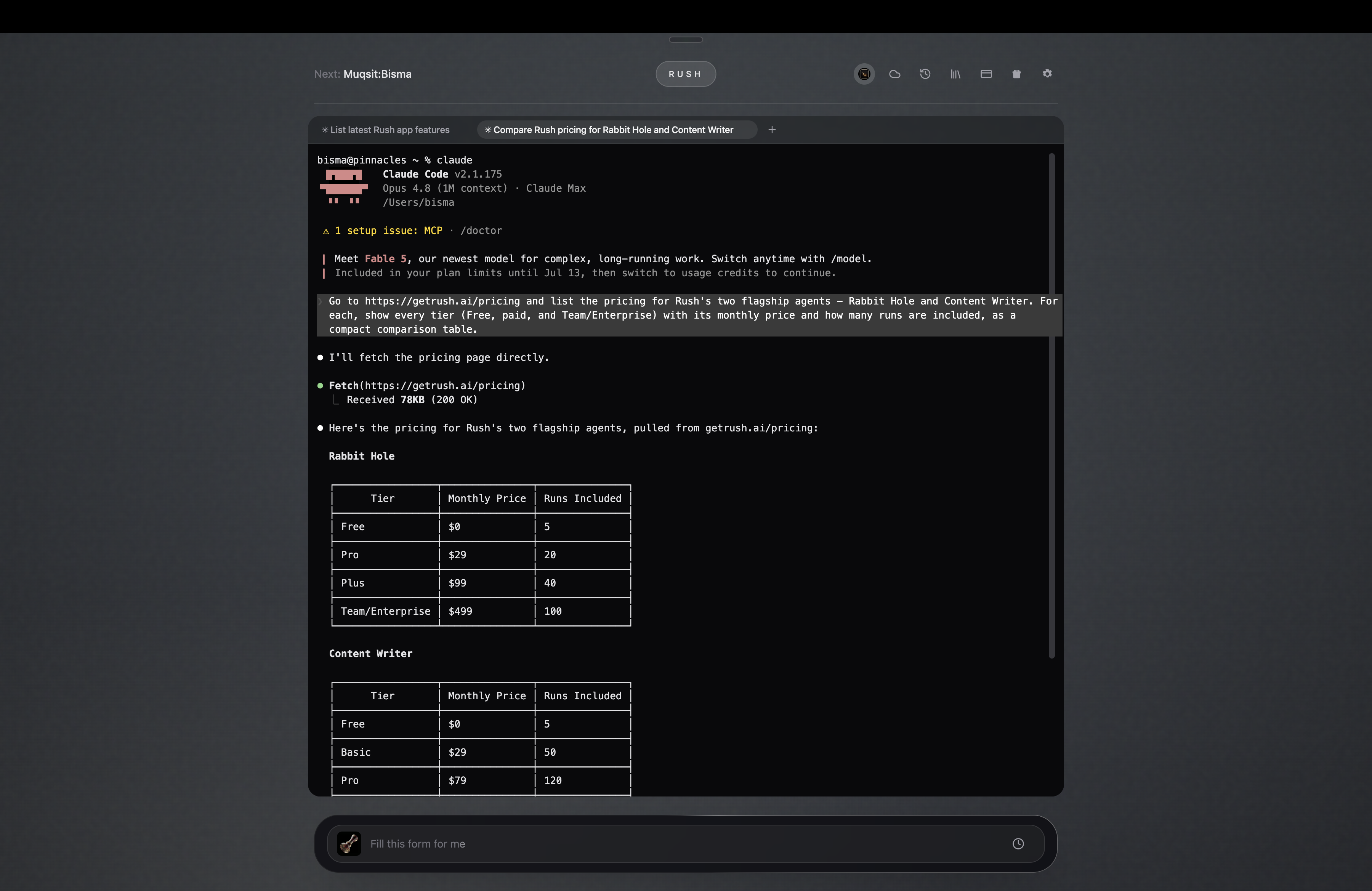
Claude Code running inside Rush's terminal — it fetched getrush.ai/pricing and returned the tiers as a table.
Memory you control
The Memory tab is yours to edit. Delete any remembered fact and it stays deleted — system entries are tucked out of the way so you only manage what matters. Importing memory now runs locally with clear, readable errors instead of failing silently.
Now on Linux
Rush is a first-class Linux desktop app: .deb and .rpm packages, a launcher
icon, and proper desktop/MIME integration, with Linux support for system-audio
capture, computer-use, and browser-history import. Same Rush, same backend — now
on your Linux machine too.
Platforms