# The Interrupt Is the Interface

A running coding agent changes the job. The control that matters is the record that lets you stop, steer, and inspect a run and keep the work.

Muqsit Nawaz, 2026-10-09

![A quiet altitude interior at night: a closed laptop, a small amber status light, and code-review notes on a travertine desk.](/hero-intervening-running-coding-agents.webp)

I used to think a long-running coding agent needed a better progress bar.

It needs a better interrupt.

That sounds small until you watch a run work in a repository for a while. It reads files you did not point it at. It takes a wrong turn. It finds a second problem hiding behind the first one. Then a human learns something new and needs to change the assignment. At that moment, cancel only begins the interaction.

The old terminal contract is blunt: send a signal, get your prompt back. That is correct for a process. It is too thin for a run that has read a repository, made edits, and is supposed to leave a PR another person can review. “Can I stop it?” has a direct answer. The useful question is, “What survives when I do?”

That is where the interface moves. A coding agent needs three controls: **stop**, **steer**, and **inspect**. Stop prevents a bad trajectory from getting more expensive. Steer preserves the useful work while changing the target. Inspect turns the interrupted run into evidence.

## A cancel key is a destructive API

The terminal got interruption right for the job it had. `SIGINT` is intentionally immediate. In a small measurement I ran for this piece, a trapped local process exited and was reaped in **15.1 ms**, **7.1 ms**, and **13.9 ms** after `SIGINT`. The process ends on the spot. That is its virtue.

<figure class="interrupt-chart">
  <svg viewBox="0 0 720 340" role="img" aria-labelledby="interrupt-chart-title interrupt-chart-desc">
    <title id="interrupt-chart-title">SIGINT-to-exit measurements for three local process runs</title>
    <desc id="interrupt-chart-desc">Three measured local process exit times in milliseconds: 15.1, 7.1, and 13.9. The 7.1 millisecond result is gold; the others are silver.</desc>
    <defs>
      <linearGradient id="interrupt-chrome" x1="0" y1="0" x2="1" y2="0"><stop stop-color="#d9dadc"/><stop offset=".55" stop-color="#afb0b5"/><stop offset="1" stop-color="#949c9e"/></linearGradient>
      <linearGradient id="interrupt-gold" x1="0" y1="0" x2="1" y2="1"><stop stop-color="#e8ce8c"/><stop offset=".55" stop-color="#c9a962"/><stop offset="1" stop-color="#a8884a"/></linearGradient>
    </defs>
    <g class="chart-grid" stroke="rgba(255,255,255,.12)" stroke-width="1"><line x1="98" y1="274" x2="660" y2="274"/><line x1="98" y1="78" x2="98" y2="274"/><line x1="238" y1="78" x2="238" y2="274"/><line x1="378" y1="78" x2="378" y2="274"/><line x1="518" y1="78" x2="518" y2="274"/><line x1="658" y1="78" x2="658" y2="274"/></g>
    <g fill="#a1a1aa" font-family="Inter, Arial, sans-serif" font-size="12"><text x="98" y="302">0 ms</text><text x="220" y="302">5</text><text x="360" y="302">10</text><text x="500" y="302">15</text><text x="640" y="302">20</text></g>
    <g class="chart-mark" tabindex="0"><text x="18" y="125" fill="#d4d4d8" font-family="Inter, Arial, sans-serif" font-size="15">Run 1</text><rect x="98" y="98" width="423" height="42" rx="6" fill="url(#interrupt-chrome)"/><text x="535" y="125" fill="#fafafa" font-family="ui-monospace, monospace" font-size="14">15.1 ms</text><title>Run 1: 15.1 ms</title></g>
    <g class="chart-mark gold-mark" tabindex="0"><text x="18" y="190" fill="#d4d4d8" font-family="Inter, Arial, sans-serif" font-size="15">Run 2</text><rect x="98" y="163" width="199" height="42" rx="6" fill="url(#interrupt-gold)"/><text x="311" y="190" fill="#fafafa" font-family="ui-monospace, monospace" font-size="14">7.1 ms</text><title>Run 2: 7.1 ms</title></g>
    <g class="chart-mark" tabindex="0"><text x="18" y="255" fill="#d4d4d8" font-family="Inter, Arial, sans-serif" font-size="15">Run 3</text><rect x="98" y="228" width="389" height="42" rx="6" fill="url(#interrupt-chrome)"/><text x="501" y="255" fill="#fafafa" font-family="ui-monospace, monospace" font-size="14">13.9 ms</text><title>Run 3: 13.9 ms</title></g>
    <text x="98" y="35" fill="#fafafa" font-family="Inter, Arial, sans-serif" font-size="18" font-weight="600">The mechanics are fast. The handoff is the hard part.</text>
  </svg>
  <figcaption>Three local runs, 9 October 2026. Each process installed a <code>SIGINT</code> handler, slept, then exited; timing starts immediately before <code>kill -INT</code> and ends after <code>wait</code> reaps it. Hover or focus a bar for its exact value. Source: author measurement; <a href="https://pubs.opengroup.org/onlinepubs/9799919799/functions/sigaction.html">POSIX signal semantics</a>.</figcaption>
</figure>

<style>
  .interrupt-chart { margin: 38px 0; padding: 22px; border: 1px solid rgba(255,255,255,.12); border-radius: 18px; background: linear-gradient(135deg, rgba(255,255,255,.05), rgba(255,255,255,.015)); overflow: hidden; }
  .interrupt-chart svg { display:block; width:100%; height:auto; }
  .interrupt-chart figcaption { margin-top: 14px; color:#a1a1aa; font: 12px/1.55 Inter, sans-serif; }
  .interrupt-chart .chart-mark { transition: opacity .2s ease, transform .2s ease; transform-origin: center; }
  .interrupt-chart:has(.chart-mark:hover) .chart-mark:not(:hover), .interrupt-chart:has(.chart-mark:focus) .chart-mark:not(:focus) { opacity:.42; }
  .interrupt-chart .chart-mark:hover, .interrupt-chart .chart-mark:focus { outline:none; transform:translateX(5px); }
  .interrupt-chart .chart-mark:focus rect { stroke:#fafafa; stroke-width:2; }
  .interrupt-chart .gold-mark rect { filter: drop-shadow(0 0 12px rgba(201,169,98,.28)); }
  @media (max-width:560px) { .interrupt-chart { padding:12px; margin:28px 0; } .interrupt-chart svg { min-width:510px; } }
</style>

That measurement is deliberately boring. It times a local signal handler and nothing else, which makes the contrast clean. The operating system can end a process in a handful of milliseconds. A person deciding whether to preserve the edits, add a constraint, or turn the investigation into a review usually needs more than a handful of milliseconds.

The first interface gives us the fast part. The second must give us the rest.

## The run has already become a record

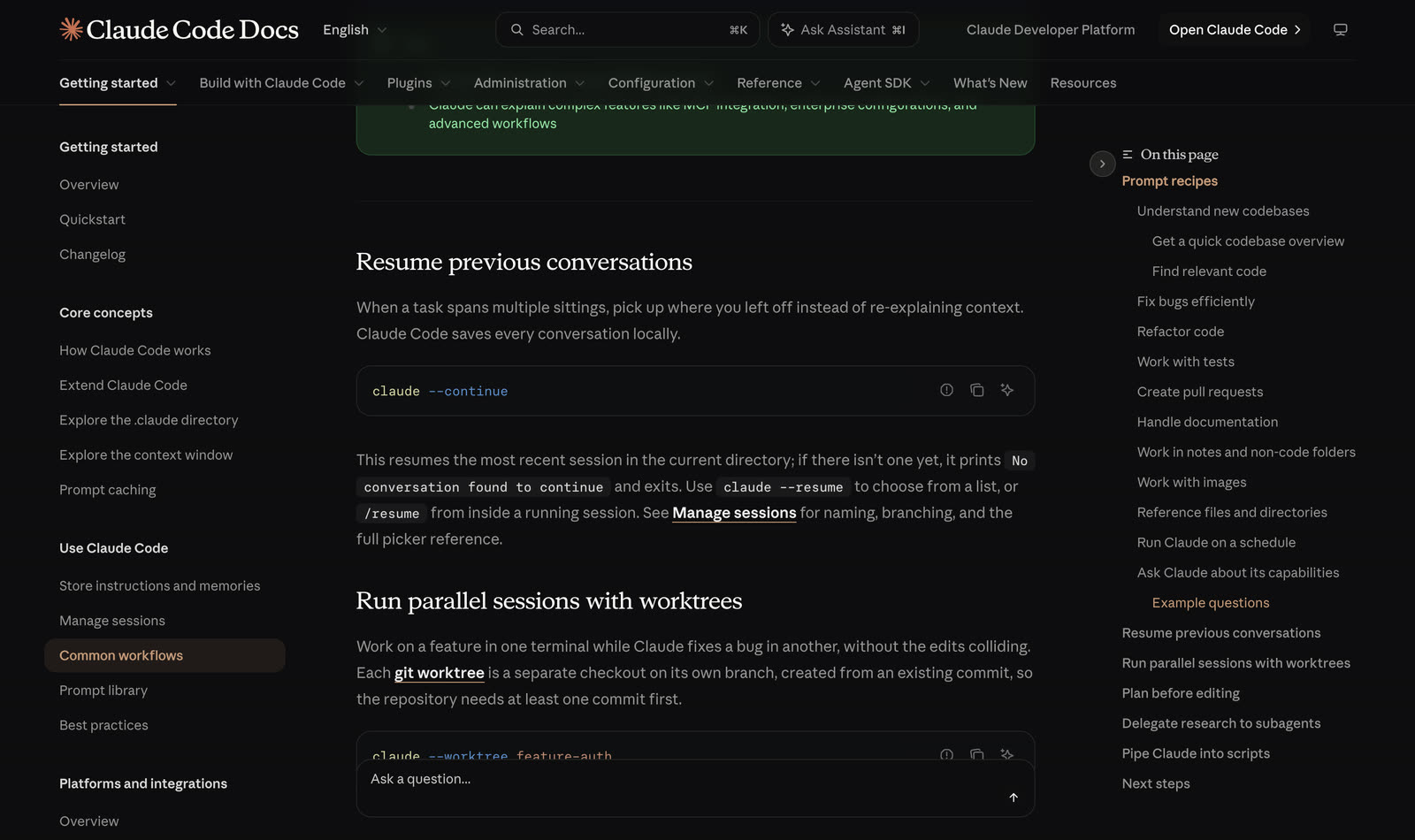
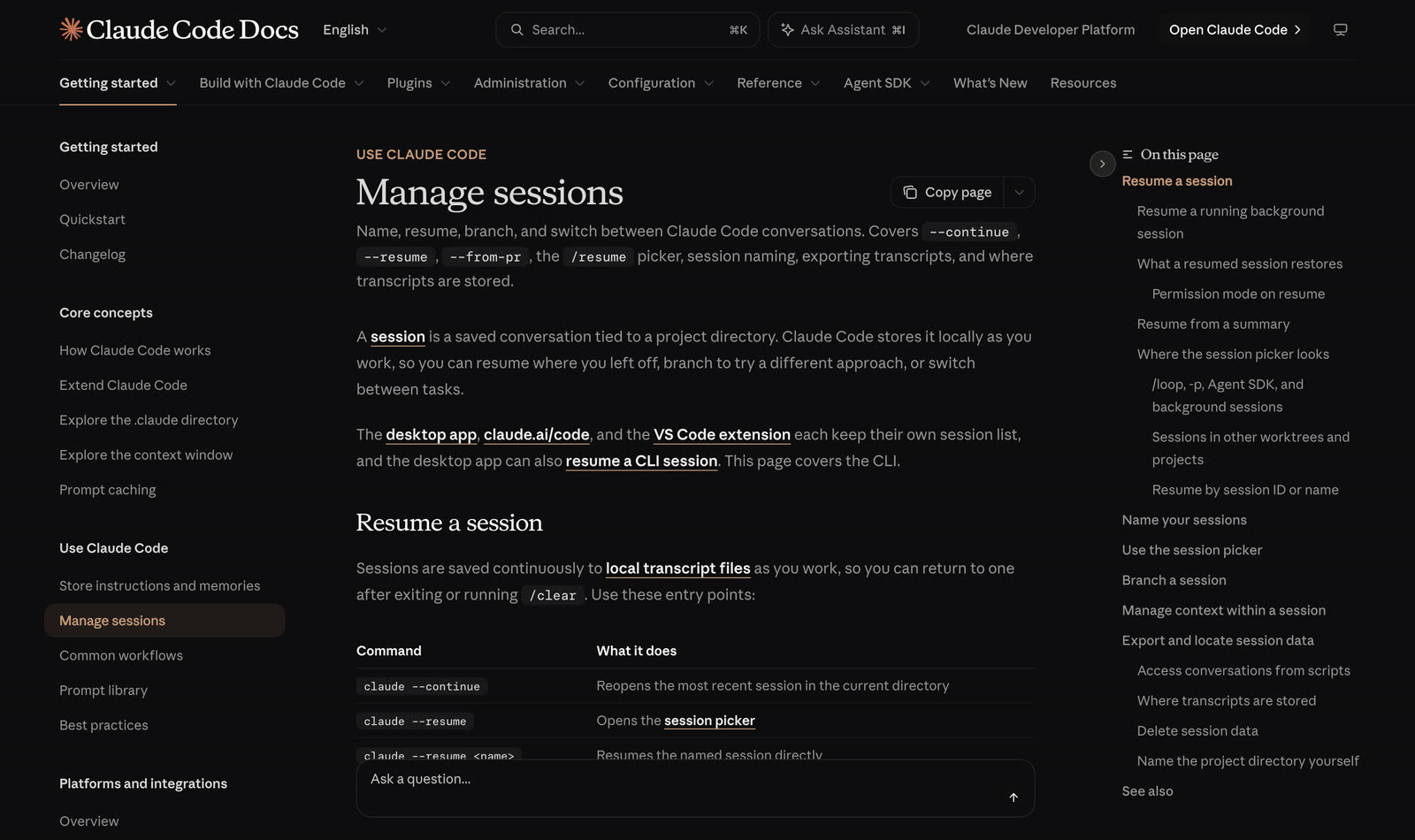
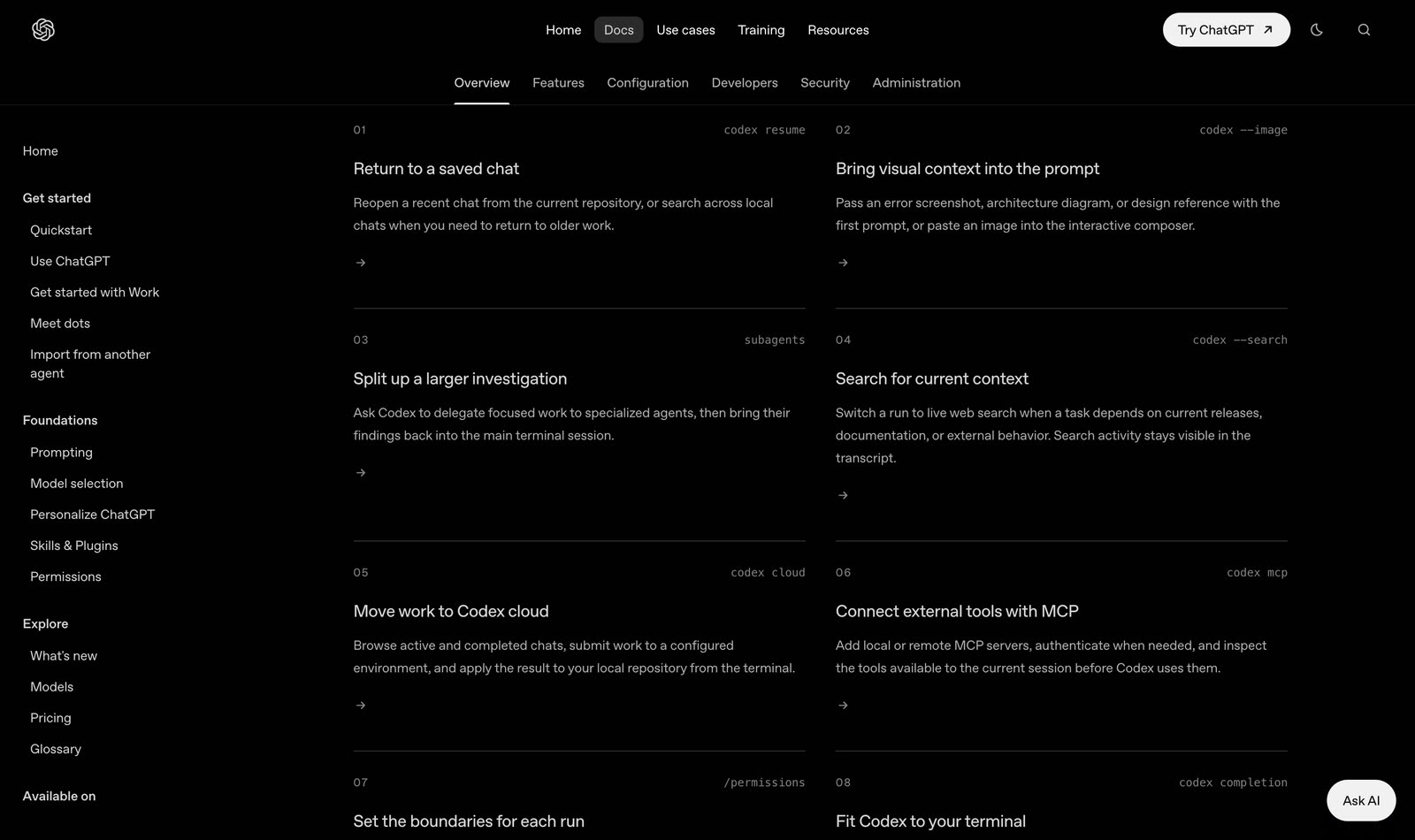
Claude Code's own documentation now puts **background agents**, a **resume picker**, and **session management** next to ordinary coding workflows. The Codex CLI documentation lists returning to a saved chat, splitting work across subagents, and moving work to Codex cloud among its core features. Both products now treat coding work as something with a lifetime.

<figure>
  <img src="/blog/intervening-running-coding-agents/claude-code-common-workflows.jpg" alt="Claude Code docs, Common workflows page: the Resume previous conversations section, with claude --continue, claude --resume and the /resume command." loading="lazy" decoding="async" />
  <figcaption><em>Source: <a href="https://code.claude.com/docs/en/common-workflows#resume-previous-conversations">Claude Code common workflows, Resume previous conversations</a>.</em></figcaption>
</figure>

<figure>
  <img src="/blog/intervening-running-coding-agents/claude-code-manage-sessions.jpg" alt="Claude Code docs, Manage sessions page: name, resume, branch and switch conversations, a table of resume commands, and a contents entry for resuming a running background session." loading="lazy" decoding="async" />
  <figcaption><em>Source: <a href="https://code.claude.com/docs/en/sessions">Claude Code, Manage sessions</a>.</em></figcaption>
</figure>

<figure>
  <img src="/blog/intervening-running-coding-agents/codex-cli-features.jpg" alt="OpenAI Codex CLI docs: feature cards for codex resume (return to a saved chat), subagents (split up a larger investigation) and codex cloud (move work to Codex cloud)." loading="lazy" decoding="async" />
  <figcaption><em>Source: <a href="https://learn.chatgpt.com/docs/codex/cli">OpenAI Codex CLI</a>.</em></figcaption>
</figure>

This is the useful shift: a run has a starting instruction, a changing working tree, tool calls, a set of decisions, and an ending that can be inspected. Interrupting it should change its state and keep its record.

<details class="interrupt-details">
  <summary>What should survive an interrupt?</summary>
  <div>
    <p>At minimum: the exact revision the run saw, the files it changed, the command output that explains its last action, the constraints it was following, and an explicit terminal state. “Stopped by a human after test failure” is useful. A vanished spinner tells the next person nothing.</p>
  </div>
</details>

The capture below scrolls the live Codex CLI page from its hero down to those feature cards. The product detail will change. The contract should hold: a person must be able to come back to a run and know what it was doing.

<figure>
  <video autoplay muted loop playsinline src="/blog/intervening-running-coding-agents/codex-docs-flow.mp4"></video>
  <figcaption>Source: the <a href="https://learn.chatgpt.com/docs/codex/cli">Codex CLI page</a>: a scroll from the hero to the feature cards for <code>codex resume</code>, subagents and <code>codex cloud</code>.</figcaption>
</figure>

## Stop, steer, inspect

<figure class="interrupt-flow">
  <svg viewBox="0 0 760 290" role="img" aria-labelledby="flow-title flow-desc">
    <title id="flow-title">The control loop for an intervened coding-agent run</title>
    <desc id="flow-desc">A running task can be stopped, steered with a follow-up, or inspected through its record. Each path returns a legible result.</desc>
    <defs><marker id="interrupt-arrow" markerWidth="10" markerHeight="10" refX="8" refY="5" orient="auto"><path d="M0 0L10 5L0 10Z" fill="#c9a962"/></marker><linearGradient id="flow-chrome" x1="0" y1="0" x2="1" y2="0"><stop stop-color="#d9dadc"/><stop offset="1" stop-color="#949c9e"/></linearGradient></defs>
    <rect x="279" y="24" width="202" height="58" rx="14" fill="rgba(255,255,255,.05)" stroke="rgba(255,255,255,.18)"/><text x="380" y="59" text-anchor="middle" fill="#fafafa" font-family="Inter,Arial,sans-serif" font-size="18" font-weight="600">RUNNING TASK</text>
    <path d="M331 84C290 120 187 122 151 155" fill="none" stroke="#c9a962" stroke-width="1.5" marker-end="url(#interrupt-arrow)"/><path d="M380 84V151" fill="none" stroke="#c9a962" stroke-width="1.5" marker-end="url(#interrupt-arrow)"/><path d="M429 84C472 120 574 122 610 155" fill="none" stroke="#c9a962" stroke-width="1.5" marker-end="url(#interrupt-arrow)"/>
    <rect x="50" y="160" width="202" height="58" rx="14" fill="rgba(255,255,255,.04)" stroke="url(#flow-chrome)"/><text x="151" y="195" text-anchor="middle" fill="#fafafa" font-family="Inter,Arial,sans-serif" font-size="18">STOP</text>
    <rect x="279" y="160" width="202" height="58" rx="14" fill="rgba(201,169,98,.10)" stroke="#c9a962"/><text x="380" y="195" text-anchor="middle" fill="#fafafa" font-family="Inter,Arial,sans-serif" font-size="18">STEER</text>
    <rect x="508" y="160" width="202" height="58" rx="14" fill="rgba(255,255,255,.04)" stroke="url(#flow-chrome)"/><text x="609" y="195" text-anchor="middle" fill="#fafafa" font-family="Inter,Arial,sans-serif" font-size="18">INSPECT</text>
    <path d="M151 220V251H609V220" fill="none" stroke="#71717a" stroke-width="1.2"/><path d="M380 251V266" fill="none" stroke="#c9a962" stroke-width="1.5" marker-end="url(#interrupt-arrow)"/>
    <text x="380" y="286" text-anchor="middle" fill="#d4d4d8" font-family="Inter,Arial,sans-serif" font-size="15">A legible result: state, diff, checks, and the next decision</text>
  </svg>
  <figcaption>The interface is a control loop with a kill switch inside it. Gold marks the one control that changes the run without discarding its record.</figcaption>
</figure>

<style>
  .interrupt-flow { margin:40px 0; padding:26px 20px 18px; border:1px solid rgba(255,255,255,.12); border-radius:18px; background:rgba(255,255,255,.025); }
  .interrupt-flow svg { display:block; width:100%; height:auto; }
  .interrupt-flow figcaption { margin-top:14px; color:#a1a1aa; font:12px/1.55 Inter,sans-serif; text-align:center; }
  .interrupt-details { margin:32px 0; padding:4px 18px; border:1px solid rgba(255,255,255,.12); border-radius:12px; background:rgba(255,255,255,.025); }
  .interrupt-details summary { cursor:pointer; padding:14px 0; color:#d9dadc; font:600 15px/1.4 Inter,sans-serif; }
  .interrupt-details div { padding:0 0 14px; color:#b8b8bd; }
</style>

**Stop** is a terminal state with a reason. The run should say what it last completed and what remains safe to keep.

**Steer** is the control that matters when the new information is not an emergency. “Do not touch the migration. Add a test for the edge case you just found.” A good steering mechanism attaches that instruction to the same working context. Starting a fresh agent and re-explaining the repository is a tax on changing your mind.

**Inspect** is what makes both controls safe. When the run returns a diff, commands, check results, and a record of how it got there, a reviewer can decide whether to continue, reset, or turn the work into a PR. Missing proof is a different result from done, and it deserves its own name.

<div class="interrupt-toggle">
  <input type="radio" name="run-contract" id="cancel-only" checked />
  <input type="radio" name="run-contract" id="control-loop" />
  <div class="toggle-tabs" role="tablist" aria-label="Compare agent-run contracts">
    <label for="cancel-only" role="tab">Cancel only</label>
    <label for="control-loop" role="tab">Control loop</label>
  </div>
  <div class="toggle-panel cancel-panel"><strong>Cancel only</strong><span>Stops the process. The next operator reconstructs the context from memory, a terminal scrollback, and whatever changed on disk.</span></div>
  <div class="toggle-panel loop-panel"><strong>Control loop</strong><span>Stops or redirects work while preserving the record. The next operator begins with the task, the state, and the proof already attached.</span></div>
</div>

<style>
  .interrupt-toggle { margin:36px 0; border:1px solid rgba(255,255,255,.12); border-radius:16px; overflow:hidden; background:rgba(255,255,255,.025); }
  .interrupt-toggle input { position:absolute; opacity:0; pointer-events:none; }
  .toggle-tabs { display:flex; gap:8px; padding:10px; border-bottom:1px solid rgba(255,255,255,.10); }
  .toggle-tabs label { flex:1; cursor:pointer; border-radius:9px; padding:10px 12px; text-align:center; color:#a1a1aa; font:500 13px/1.3 Inter,sans-serif; }
  #cancel-only:checked ~ .toggle-tabs label[for="cancel-only"], #control-loop:checked ~ .toggle-tabs label[for="control-loop"] { color:#09090b; background:#c9a962; }
  .toggle-panel { display:none; gap:12px; padding:24px; color:#d4d4d8; font:15px/1.6 Inter,sans-serif; }
  .toggle-panel strong { display:block; color:#fafafa; font-size:17px; }
  #cancel-only:checked ~ .cancel-panel, #control-loop:checked ~ .loop-panel { display:grid; }
</style>

## The first proof comes before the PR

Teams usually notice proof at the end of a run. They want a PR, checks, and a reviewable change. They should. The first proof arrives earlier: the moment a person intervenes and the system can explain what was happening without asking them to reconstruct it from scratch.

That is how a long-running session earns trust: it makes interruption cheap.

The useful agent interface gives a human a clean place to apply judgment while the work is still alive, then leaves enough evidence behind for the next person to understand the decision.

This is how runs work in Rush. A follow-up message starts a new turn in the same sandbox, so the working tree and the session carry over. Cancel is a status change on the run. A run with missing proof ends as `needs_review` instead of done. The captured trajectory, every message and tool call, can be read back through the API after the run ends.

The cancel key stays. It just stops being the whole product.

---

*Primary sources: [POSIX `sigaction`](https://pubs.opengroup.org/onlinepubs/9799919799/functions/sigaction.html), [Claude Code common workflows](https://code.claude.com/docs/en/common-workflows), [Claude Code, Manage sessions](https://code.claude.com/docs/en/sessions), and [OpenAI Codex CLI](https://learn.chatgpt.com/docs/codex/cli), first accessed 9 October 2026. The three latency values are author measurements from the command described in the chart caption; they time a local signal handler and say nothing about model or agent latency. Related: [An Agent You Can't Find Is an Agent You Don't Have](/blog/agents-you-cant-find) and [Every Agent Demo Hides the Same Number](/blog/agent-demos-hide-one-number).*